


Elevation API
Get elevation for coordinates with a simple API
Use Geoapify Elevation API to look up elevation data for latitude and longitude coordinates and return terrain height values for your application.
The API is suited for elevation lookup tools, mapping products, route planning workflows, outdoor apps, and spatial analysis use cases where you need to know the height of a point above sea level.
On this page
What is Elevation?
Elevation is the height of a point on the Earth's surface relative to sea level. This data helps applications:
- Show the elevation of a location above sea level
- Understand terrain features such as hills, valleys, and slopes
- Support route and outdoor planning for hiking, cycling, and skiing
- Analyze land for engineering, infrastructure, and flood-risk projects
- Create terrain visualizations such as contours, hillshades, and 3D views
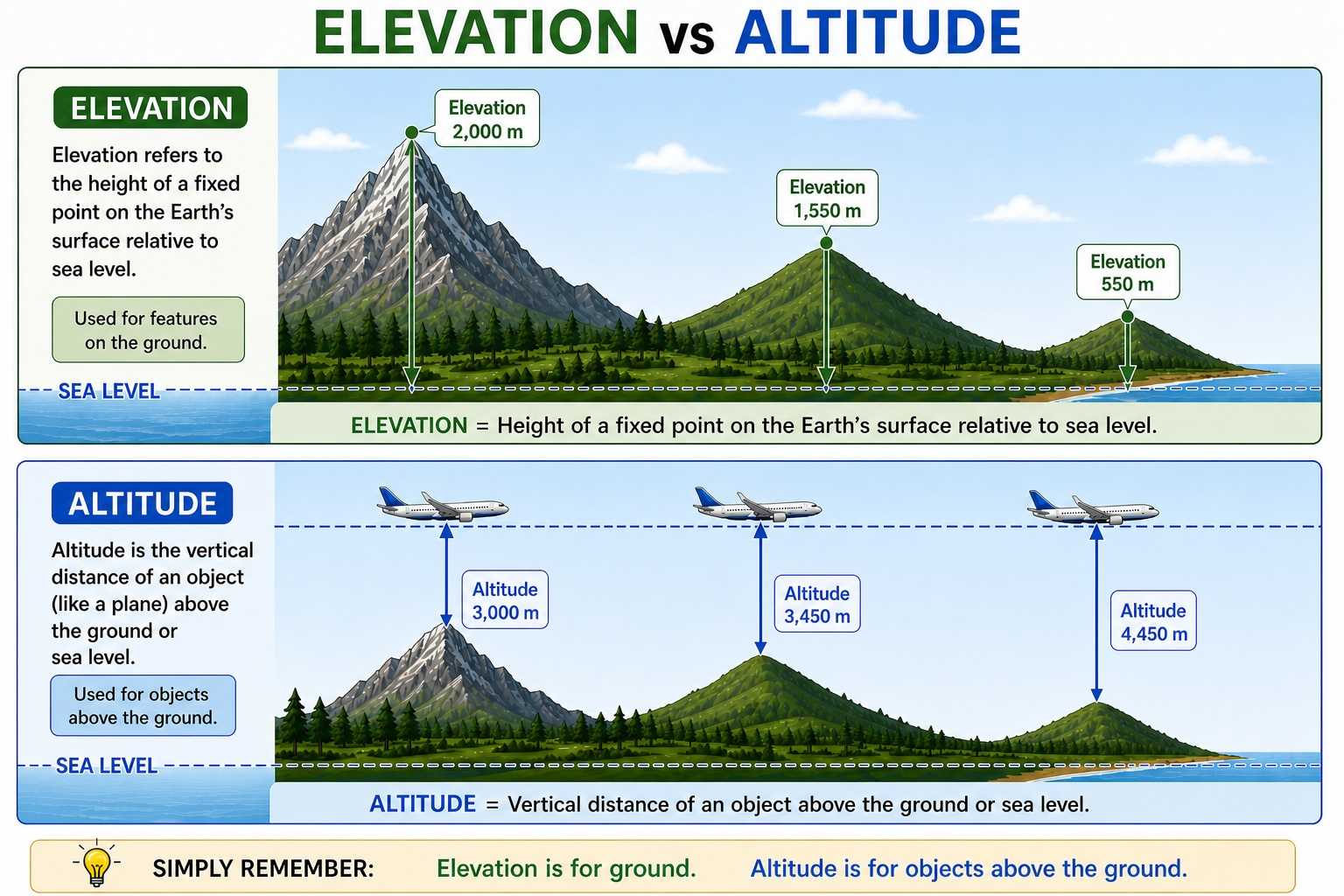
An Elevation API makes this easy to use in software. It provides a convenient way to request elevation data for specific locations using latitude and longitude coordinates.
Where does the data come from and what detail does it have?
Elevation API data is aggregated from multiple open terrain datasets, including:
- 3DEP (USGS) for high-detail data in the United States
- SRTM (NASA) for global terrain coverage
- GMTED2010 (USGS) and ETOPO1 (NOAA) for coarser terrain and bathymetry coverage
The detail level depends on location and source data. In practice, the API can use around 3-10 meter detail where high-resolution data is available (for example, parts of the US), around 30 meter detail for much of the world, and coarser data in areas where only lower-resolution terrain or bathymetry datasets are available.
Quick Start with Elevation API
- Create an API key in Geoapify MyProjects.
- Send an HTTP
POSTrequest tohttps://api.geoapify.com/v1/geodata/elevation?apiKey=YOUR_API_KEY. - Pass locations in the request body and read elevation values from the response.
- HTTP POST
- cURL
- JavaScript
- Python
{
  "type": "HTTP POST",
  "url": "https://api.geoapify.com/v1/geodata/elevation?apiKey=YOUR_API_KEY",
  "headers": "Content-Type=application/json",
  "body": {
    "format": "json",
    "units": "imperial",
    "locations": [
      [4.81580917013423, 45.57110890006072],
      [4.842829611362049, 45.541495097012216],
      [4.876898863344877, 45.52092077399294]
    ]
  }
}- Process API response: the API returns one result object per input location. Below is an example response for the request above:
{
  "results": [
    {
      "location": {
        "lon": 4.81580917013423,
        "lat": 45.57110890006072
      },
      "elevation": 515,
      "units": "ft"
    },
    {
      "location": {
        "lon": 4.842829611362049,
        "lat": 45.541495097012216
      },
      "elevation": 502,
      "units": "ft"
    },
    {
      "location": {
        "lon": 4.876898863344877,
        "lat": 45.52092077399294
      },
      "elevation": 761,
      "units": "ft"
    }
  ]
}
What each field means:
results: list of elevation results in the same order as requested locationslocation.lonandlocation.lat: the coordinate used for the elevation lookupelevation: elevation value for that coordinateunits: unit of measurement forelevation(for exampleftorm)
For all request/response options, see the full documentation: Geoapify Elevation API Docs.
Pricing
Elevation API uses credit-based billing. Cost is based on how many locations you send in one request.
Base cost formula:
credits = max(1, ceil(number_of_locations / 100))Examples:
- 75 locations, regular request:
max(1, ceil(75/100)) = 1credit - 250 locations, regular request:
max(1, ceil(250/100)) = 3credits - 1000 locations, regular request:
max(1, ceil(1000/100)) = 10credits
For plan limits and commercial pricing, see Geoapify Pricing. For API-level details, see the Elevation API Docs.
If Geoapify Batcher is used, the price can be reduced by up to 2 times. See Batch API and Batch API documentation for batch request details.
Learn More
Use these resources to go further: visualize elevation profiles on charts, combine elevation with full route analysis, and build travel-time reachability maps for terrain-aware planning.


Drawing Route Elevation Profile with Chart.js


How to use the Route Directions API


Isochrone and Isodistance API | Isoline Maps By Geoapify
FAQ
How do I request elevation for coordinates?
Send an HTTP POST request to https://api.geoapify.com/v1/geodata/elevation?apiKey=YOUR_API_KEY with a locations array in the request body. See the Elevation API documentation for full request options.
Which coordinate order should I use?
Use coordinates in [lon, lat] order in the locations array.
Can I request multiple locations in one API call?
Yes. The locations field accepts multiple coordinate pairs, and the API returns one result per location in the same order.
What units are returned for elevation values?
Units depend on the units request parameter. For example, with units=imperial the response returns ft, and with metric settings the response returns meters.
How is Elevation API pricing calculated?
Pricing is credit-based and depends on the number of requested locations: max(1, ceil(number_of_locations / 100)). You can review plan limits and pricing on the pricing page.
Can I reduce cost for larger workloads?
Yes. If you use Geoapify Batcher, the effective cost can be reduced by up to 2 times. See Batch API and Batch API documentation for details.
How can I see billed credits in the response?
Add billing_details=credits to your request to get billing information in the response as billing.credits.